🔗
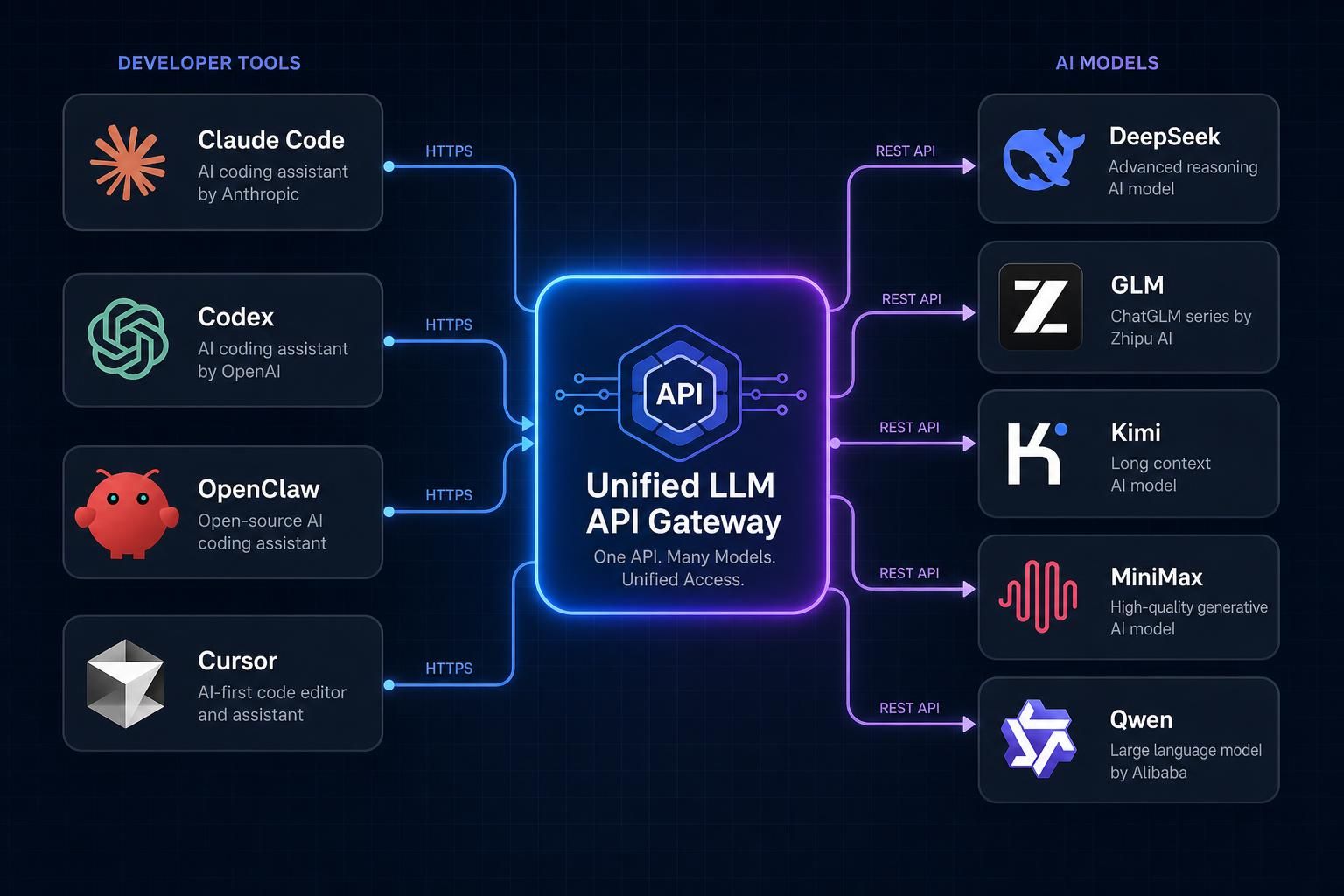
Unified API Endpoint
One OpenAI-compatible API endpoint to access all models. No need to manage multiple provider SDKs or API keys.
Access 200+ AI models through one OpenAI-compatible endpoint — Claude, GPT, Gemini, Seedance & more.
Connect with us, get support, and stay updated with the latest features
Simple steps to add credits and configure your account
https://toprouter.cc and start using 200+ models.Integrate TopRouter into your application with just a few lines of code
# Python SDK
from openai import OpenAI

client = OpenAI(
    api_key="sk-your-toprouter-key",
    base_url="https://toprouter.cc"
)

response = client.chat.completions.create(
    model="google/gemini-3.5-flash",
    messages=[{"role": "user", "content": "Hello!"}]
)
print(response.choices[0].message.content)// TypeScript SDK
import OpenAI from 'openai';
const client = new OpenAI({
apiKey: 'sk-your-toprouter-key',
baseURL: 'https://toprouter.cc'
});
const response = await client.chat.completions.create({
model: 'google/gemini-3.5-flash',
messages: [{ role: 'user', content: 'Hello!' }]
});
console.log(response.choices[0].message.content);# cURL API
curl https://toprouter.cc/chat/completions \
-H "Content-Type: application/json" \
-H "Authorization: Bearer sk-your-toprouter-key" \
-d '{
"model": "google/gemini-3.5-flash",
"messages": [
{"role": "user", "content": "Hello!"}
]
}'Quickly access key management, billing and account pages